
Guide
Parent-teacher conference sign-ups with Google Forms
Parents pick their child's name and a time. Each time disappears once it's booked, and the names come straight from your class list. The whole setup takes about ten minutes.
1. Make the sheet
One Google Sheet with two columns: your students and your conference times.
| A | B | |
|---|---|---|
| 1 | Student | Time slot |
| 2 | Ava Brooks | Tue 3:00 PM |
| 3 | Liam Carter | Tue 3:15 PM |
| 4 | Noah Diaz | Tue 3:30 PM |
The columns don't need the same length. Blank cells are skipped and repeated names appear once.
2. Make the form
Create a Google Form with two questions:
- Your child's name, as a dropdown.
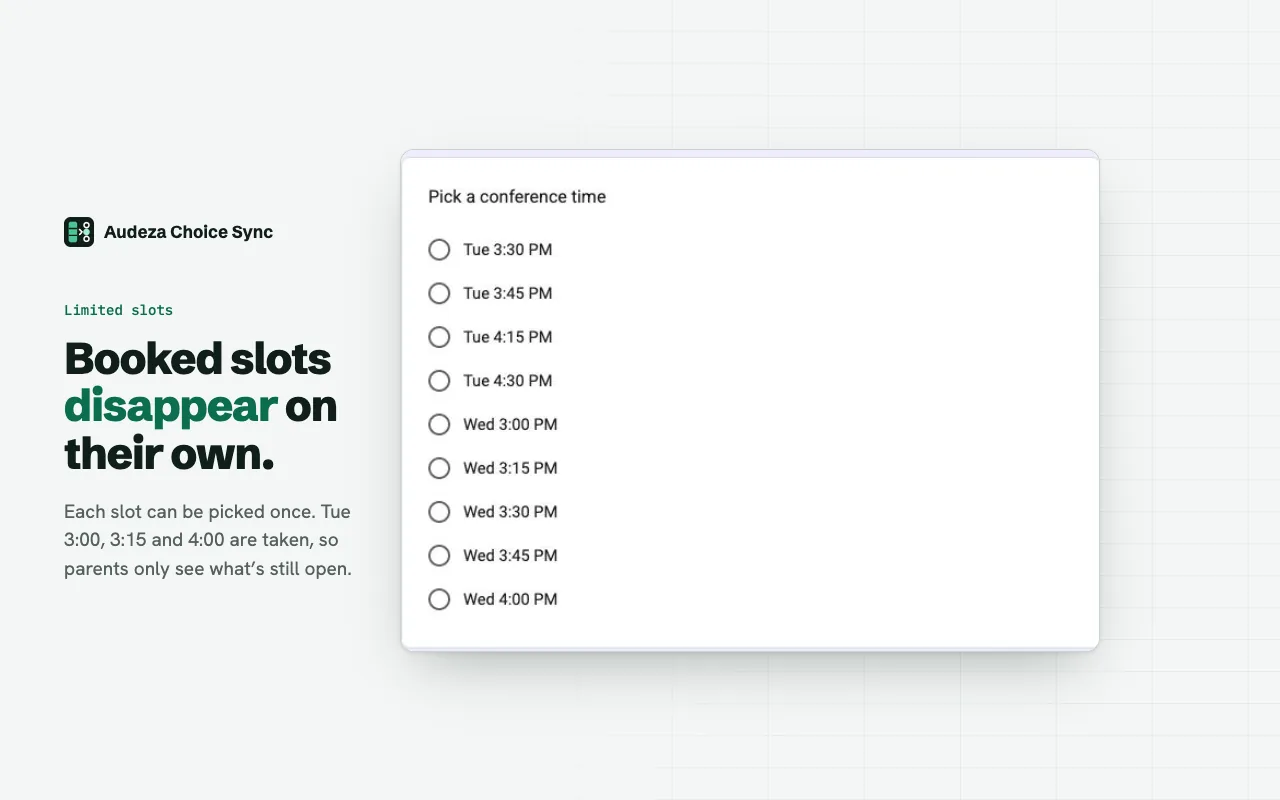
- Pick a conference time, as multiple choice.
Leave the choices empty. The add-on fills them.
3. Link both questions
- Open the add-on: puzzle icon, then Audeza Choice Sync, then Open. Click Link.
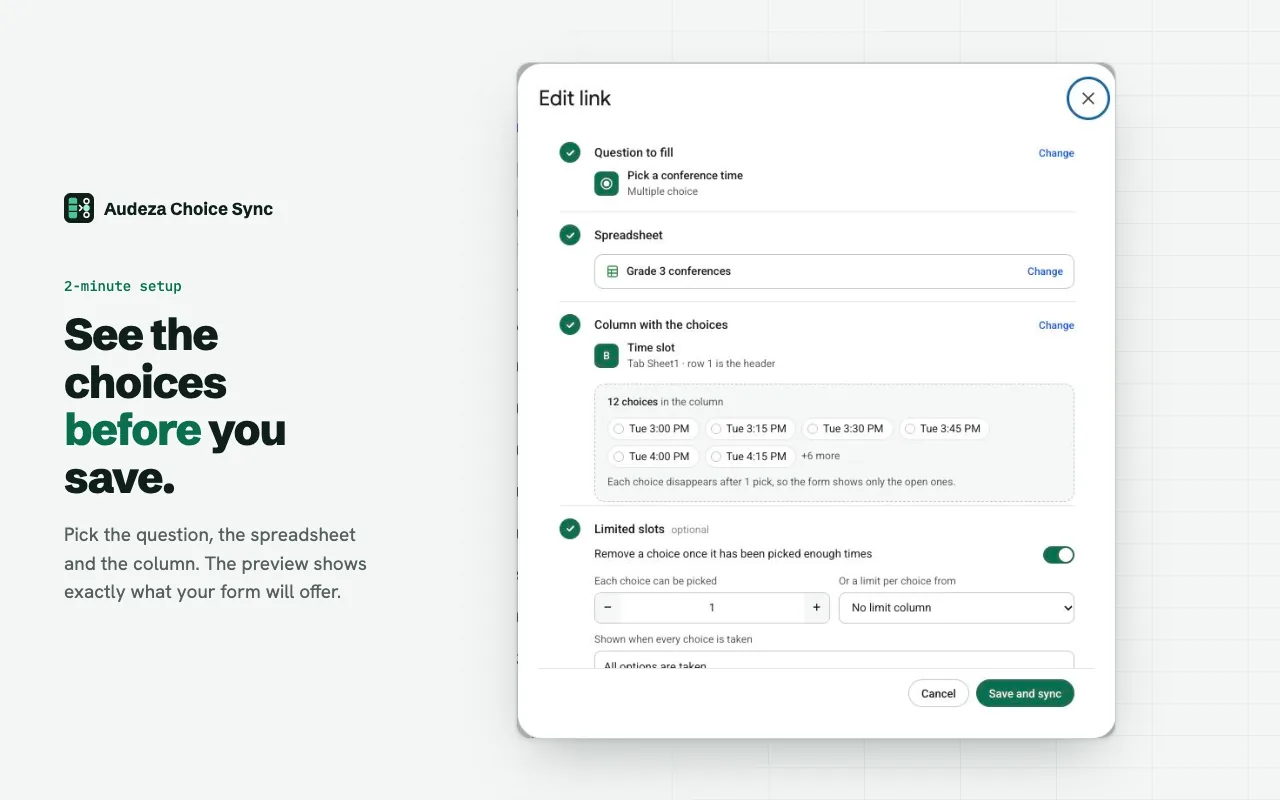
- Pick "Your child's name", your sheet, and the Student column. Save and sync.
- Click Link again. Pick "Pick a conference time" and the Time slot column.
- Turn on "Remove a choice once it has been picked enough times" and leave it at 1. Save and sync.
The free plan covers both questions. It allows 3 linked questions per form.
4. Send it to parents
Share the form link by email or in your class app. As parents book, their times disappear for everyone else. Responses land in the form's Responses tab, and in a sheet if you connect one.
Tips from real setups
- Hide students who already booked. Turn on limited slots for the name question too, at 1. Each child can then be booked once.
- A parent needs to change time? Delete their response. The slot comes back at the next sync, and they can book again.
- New student mid-term? Add them to the sheet. They appear after the next response, the hourly sync, or right away when you click Sync.
- Several teachers? Give each teacher their own form and their own slot column. The forms can share one sheet and one student list. The Domain plan covers everyone at your school.
Questions
Can two parents get the same time?
Only if they submit in the same moment, because Google Forms doesn't lock a choice while someone fills in the form. The form updates a few seconds after each response, so it's rare. You'll see both responses and can move one.
Do parents need the add-on?
No. Only you install it. Parents just open the form link.
Does the add-on see student data?
It opens only the spreadsheet you pick in Google's file picker, and only the form it's open in. Sheet values and responses stay in your Google account; nothing is copied to our servers.
What do parents see when everything is booked?
One placeholder choice, "All options are taken" by default. You can change the text or close the form.
Free for 3 linked questions per form, with every feature. Pro removes the limit for $49 a year or $6 a month.