
Guide
Choice eliminator for Google Forms
A choice eliminator removes an option from a Google Form once enough people have picked it. Use it for sign-up lists, limited seats, gift lists and topic picks. Audeza Choice Sync has one built in, with a separate limit for every choice if you need it.
How it works
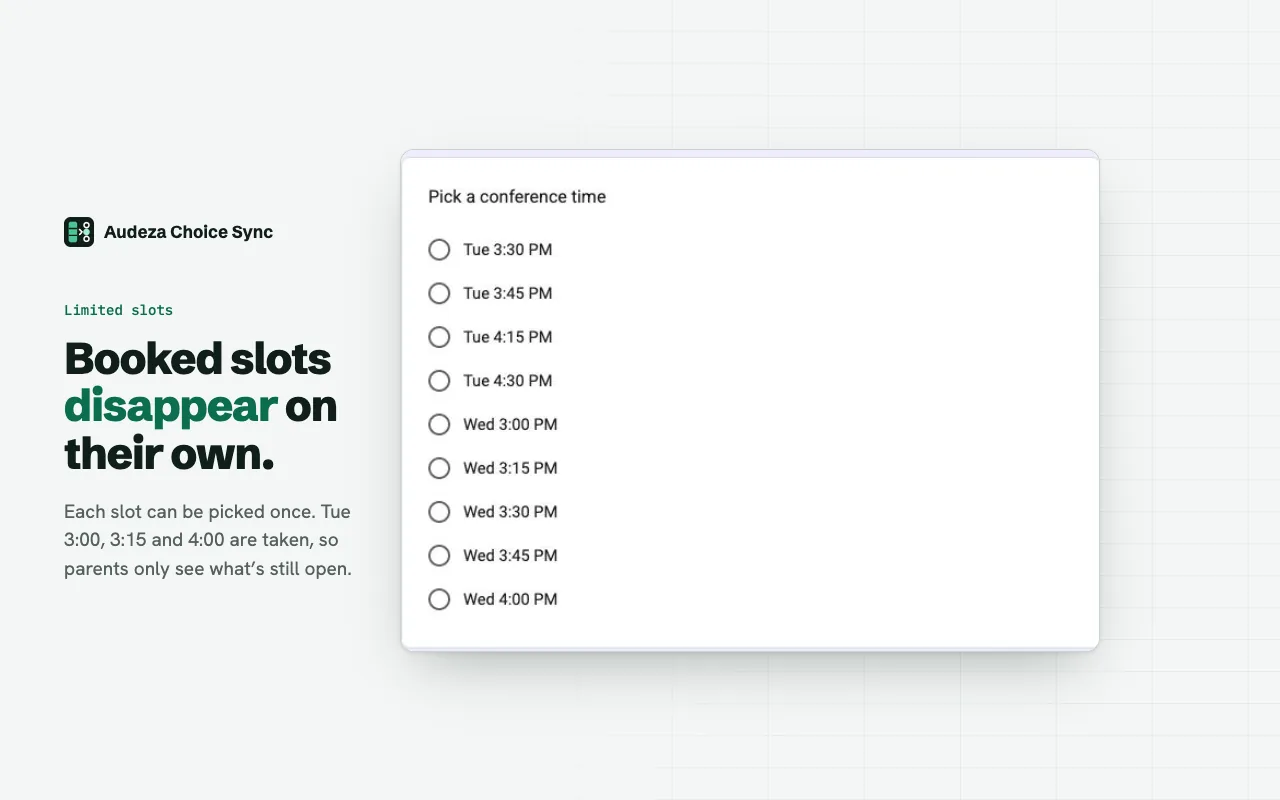
Your choices live in a Google Sheet column. The add-on copies them into a form question and counts how many responses picked each one. When a choice reaches its limit, it's removed from the form. Everyone else sees only what's still available.
- One limit for all: each choice can be picked once, or 2, 5, 30 times.
- A limit per choice: add a column with a number per row. 12 seats for one workshop, 30 for another. A limit of 0 hides a choice without deleting it.
- Checkboxes count each box: someone who ticks three workshops uses one place in each.
Set it up
- Put the choices in one column of a sheet, and the limits in the next column if they differ.
- In your form, open Add-ons (puzzle icon), then Audeza Choice Sync, then Open, and click Link.
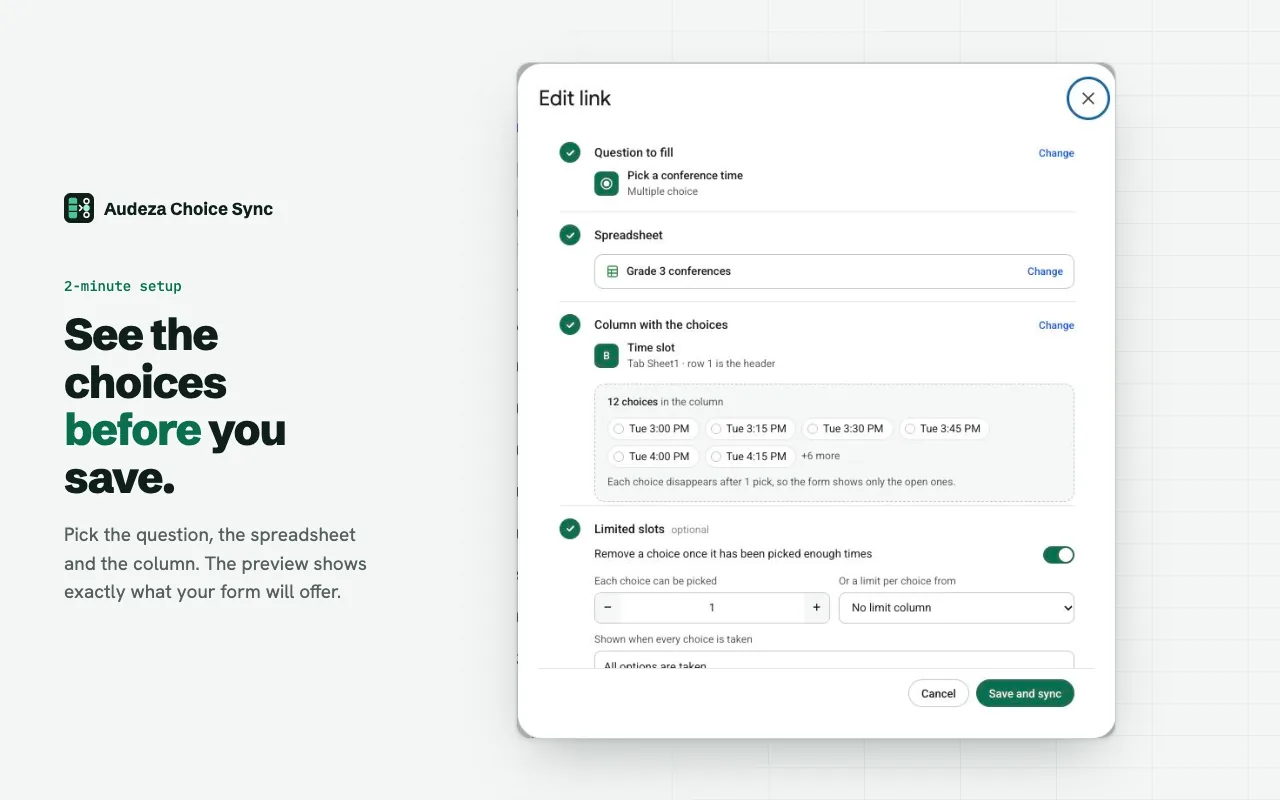
- Pick the question, the spreadsheet and the choice column. Check the preview.
- Turn on "Remove a choice once it has been picked enough times". Set the number, or pick the limit column.
- Click Save and sync.
Without formulas
The usual workaround builds a helper column with COUNTIF formulas against the responses sheet and populates the form from that. It needs care: if the columns of the responses sheet change, the formulas count the wrong data and the list goes wrong without telling you. Here the counting happens inside the add-on, straight from the form's responses, so there's no helper sheet to maintain.
When something breaks
If the column comes up empty or a header was renamed, the sync stops and the question keeps its current choices. The sidebar says what went wrong, with a Fix link, and you get an email from alerts@audeza.com. A run log shows every sync: updated, no change or failed.
Questions
What happens when every choice is taken?
The question shows one placeholder choice, "All options are taken" by default, because Google Forms needs at least one. You can change the text.
Does deleting a response free the place?
Yes, at the next sync. Syncs run after every response, every hour, and when you click Sync.
Which question types work?
Dropdown, multiple choice and checkboxes. Grid questions can be filled from a sheet, but limits don't apply to them.
Is there a limit on the number of choices?
Google Forms allows at most 1,000 choices per question, whatever add-on you use.
Free for 3 linked questions per form, with every feature. Pro removes the limit for $49 a year or $6 a month.