
Populate a Google Form from a Google Sheet
Typing a long list of options into a Google Form is slow, and keeping it current is worse. Keep the list in a Google Sheet instead. Audeza Choice Sync copies a column into a question's choices and keeps them in sync as the sheet changes.
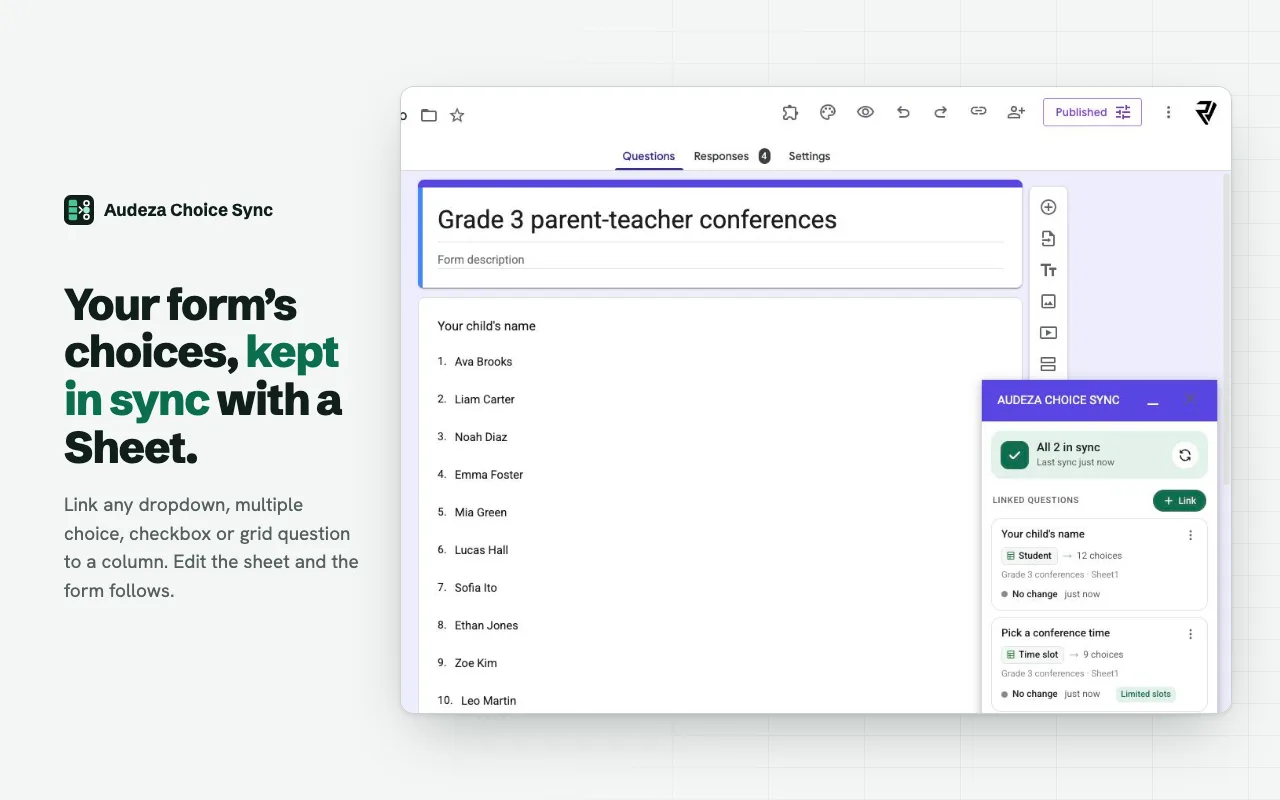
Which "populate" do you need?
People mean three different things by populating a form from a sheet. Only the first is what this add-on does:
- Fill a question's options from a column. A list of students, products, locations or time slots becomes the choices of a dropdown, multiple choice or checkbox question. That's Audeza Choice Sync.
- Pre-fill answers for each person. Google Forms does this with a pre-filled link (three-dot menu, Get pre-filled link). No add-on needed.
- Send responses into a sheet. Built in: Responses, Link to Sheets.
Set it up
- Put each list in its own column. One value per row, written the way people should see it. Row 1 can be a header.
- Open the add-on in your form. Click the puzzle icon, then Audeza Choice Sync, then Open, and click Link.
- Pick the question, the spreadsheet and the column. The spreadsheet comes from Google's file picker. The preview shows how many choices the column has and the first few.
- Save and sync. The question fills with the column's values, in sheet order.
- Repeat for other questions. Each question can read a different column, tab or spreadsheet.
Keeping it current
Edit the sheet the way you normally would. The add-on updates the form after every response, every hour, and whenever you click Sync. It reads what the cells display, so formulas work: a column of =SORT(UNIQUE(Roster!B2:B)) gives the form a sorted list without duplicates, and it follows the roster as it changes.
Blank cells and duplicate values are skipped. Values longer than 500 characters are cut. Google Forms allows up to 1,000 choices per question. If a sync fails, the question keeps its current choices and you get an email that says what went wrong.
Example
| A | B | |
|---|---|---|
| 1 | Student | Club |
| 2 | Ava Brooks | Chess |
| 3 | Liam Carter | Robotics |
| 4 | Noah Diaz | Drama |
Link "Your name" to column A and "Pick a club" to column B. Add a student or a club to the sheet and the form offers it at the next sync. To cap how many people join each club, turn on limited slots for that question: see choice eliminator.
Questions
Does this fill in answers for each respondent?
No. Audeza fills the choices a question offers. To give each person a form with some answers already filled in, use Google Forms' pre-filled link: open the three-dot menu, choose Get pre-filled link, fill the answers and copy the link.
Which question types can be populated?
Dropdown, multiple choice and checkboxes get their choices from the column. Multiple choice grid and checkbox grid get their rows from it. Short answer and paragraph questions have no choices to fill.
Can different questions use different sheets?
Yes. Each linked question has its own spreadsheet, tab and column.
Does the sheet need to be shared with respondents?
No. Respondents only see the form. The sheet stays private to you and anyone you already shared it with.
Does it copy form responses into the sheet?
No, Google Forms does that itself under Responses, Link to Sheets. Audeza works in the other direction: from the sheet into the form's choices.
Free for 3 linked questions per form, with every feature. Pro removes the limit for $49 a year or $6 a month.